
If you make stories on the internet, you already know the problem: the real world is messy, and your content has to look like it belongs in it. A character “texts” someone, and suddenly you’re stuck. Do you film your phone over your shoulder (glare city), build a clunky graphic from scratch, or slap a subtitle on screen and hope viewers follow?
Realistic fakes are the quiet workhorse of modern storytelling. Not deepfakes. Not fraud. Just believable stand-ins: a chat thread that explains the backstory in five seconds, a “DM” that kicks off a plot twist, a fake Slack exchange that makes a workplace skit land. Used well, they save time, improve clarity, and let you direct attention where it matters.
Used poorly, they confuse people, damage trust, and invite the kind of comments you can’t delete fast enough.
This guide is about the safe, smart middle: creating realistic fake elements for narrative, comedy, education, and production work, while keeping your audience with you.
Start with the job the “fake” needs to do
Before you design anything, decide what the screenshot or mockup is for. A fake chat is a prop, not the point (unless your whole format is “texts from…”).
Common creator-friendly use cases:
- Comedic escalation: short exchanges, quick cuts, punchline as the last bubble.
- Plot delivery: the one message that changes everything, the “where are you?” at 2:13 a.m.
- Characterization: the way someone types (spelling, punctuation, voice notes, reaction emojis) tells a story faster than narration.
- Production mockups: film/TV, storyboards, or pre-vis for a client approval.
- UX or marketing examples: demonstrating a conversation flow without using real customer data.
- Classroom or training scenarios: HR, safety, language learning, customer support roleplay.
If you can’t describe the prop’s purpose in one sentence, it’s probably doing too much. Split it into two beats.
Pick the platform that your audience expects
A WhatsApp-looking chat inside a TikTok skit can feel off if your audience lives in Instagram DMs. People notice interface details the way they notice a bad wig. They might not articulate it, but they feel it.
Choose a platform based on:
- Where your story is set: workplace equals Slack/Teams energy; dating skit equals Tinder/Bumble cues.
- Where your audience hangs out: Gen Z viewers might read Snapchat differently than Telegram.
- What features you need: voice notes, read receipts, reactions, disappearing messages, group chats.
Once you choose, commit. Fonts, bubble shape, timestamps, and small UI elements matter because they’re visual shorthand. The more “native” it looks, the less mental effort your viewer spends decoding it.
Build the conversation like a scene, not a transcript
Here’s a trap: creators write fake chats like real chats. Real chats are repetitive. Story chats need structure.
Try this quick framework:
- Hook (1–2 bubbles): establish who’s speaking and what the tension is.
- Turn (2–5 bubbles): reveal the misunderstanding, temptation, lie, or twist.
- Payoff (1 bubble): the line people will quote, stitch, or comment on.
Keep each message short enough to read at arm’s length on a phone screen. If you need paragraphs, you might need a different device (email, notes app, a “letter,” a voice memo transcript).
Also, don’t forget silence. A “seen” without a reply is sometimes funnier than the reply.
Make the fake look real without making it deceptive
There’s a difference between “realistic” and “indistinguishable.” Your goal is believable inside the story, not believable as evidence.
Design choices that sell realism for viewers without crossing ethical lines:
- Use fictional names and icons. Avoid real people, especially non-public figures.
- Avoid real phone numbers and handles. Even partially obscured, they can be traced or misread.
- Add light friction. A typo, a corrected word, a slightly awkward pause. Over-polished chats look fake in the wrong way.
- Watch the timestamps. Time jumps should match the emotion. Nobody answers a “we need to talk” text in 0.2 seconds.
- Keep the stakes proportional. If the screenshot looks like it could ruin someone’s life, it needs extra care, context, and labeling.
When you’re mocking up, tools that generate platform-specific UI can save you hours. If you need a believable WhatsApp thread for a skit or storyboard, a generator like fake whatsapp chat can get you close quickly, then you can focus on the writing, pacing, and framing.
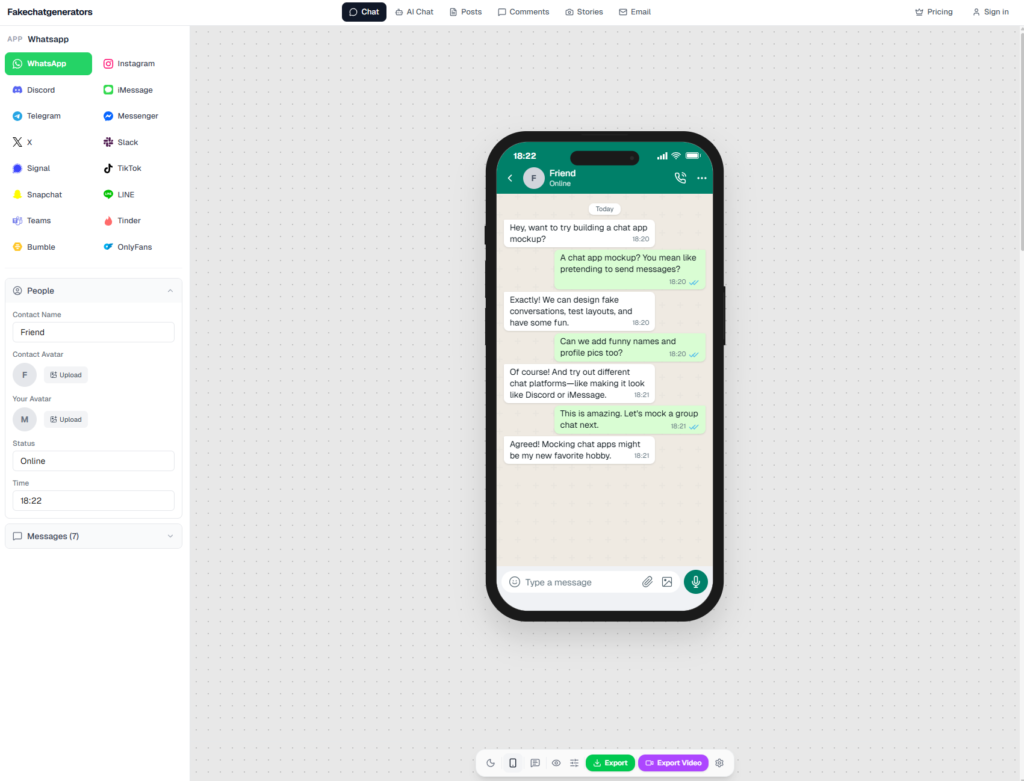
fakechatgenerators.com lets you mock up chat screenshots across 16 platforms
Add a disclosure that doesn’t kill the joke
Creators worry that labeling will ruin the punchline. The reality: most audiences appreciate clarity, and a well-placed disclosure can protect you without flattening the story.
Options, from subtle to explicit:
- In-caption disclosure: “(fictional)” or “skit” works for most social platforms.
- On-screen microtext: a small “dramatization” tag in a corner for a second or two.
- Pinned comment: useful when your format relies on surprise, but you still want a clear record.
- End card: “All messages are fictional” works well for longer videos.
Match the disclosure to the risk. A silly roommate skit needs less than a storyline involving accusations, cheating “proof,” or legal threats.
Protect yourself from the “screenshot is evidence” problem
Even if your audience gets the joke, screenshots travel. Someone will repost one frame without the caption. Someone will quote it on another platform. The most dangerous version of your content is the cropped version.
A few survival habits:
- Keep the conversation self-contained. The less it resembles a real-world allegation, the safer it is when separated from context.
- Avoid real brands in a negative light unless you’re prepared for the fallout and the claim is supportable.
- Don’t use your fake assets as receipts in unrelated drama. That’s how trust evaporates.
- Keep project files. If you ever need to prove something was staged, your layered files and drafts help.
If you’re collaborating with others, set expectations early: what’s fictional, what’s improv, what’s off-limits.
When AI imagery enters the chat, get serious about verification
Realistic fakes are not only chats. Creators now use AI images for thumbnails, inserts, “found footage,” and stylized B-roll. The upside is speed. The downside is that audiences are increasingly jumpy about manipulation, and platforms are under pressure to label or moderate questionable content.
If you’re using AI images, or you’re dealing with user-submitted visuals, a verification step can be the difference between a clean post and a credibility mess. Tools like an ai image detector are designed for that kind of triage, including AI-generated media detection across 50+ generative models with a claimed 98.7% accuracy and sub-150ms latency, plus checks for NSFW content, violence, and document tampering. You do not need to become a forensic analyst, but you do need a workflow.
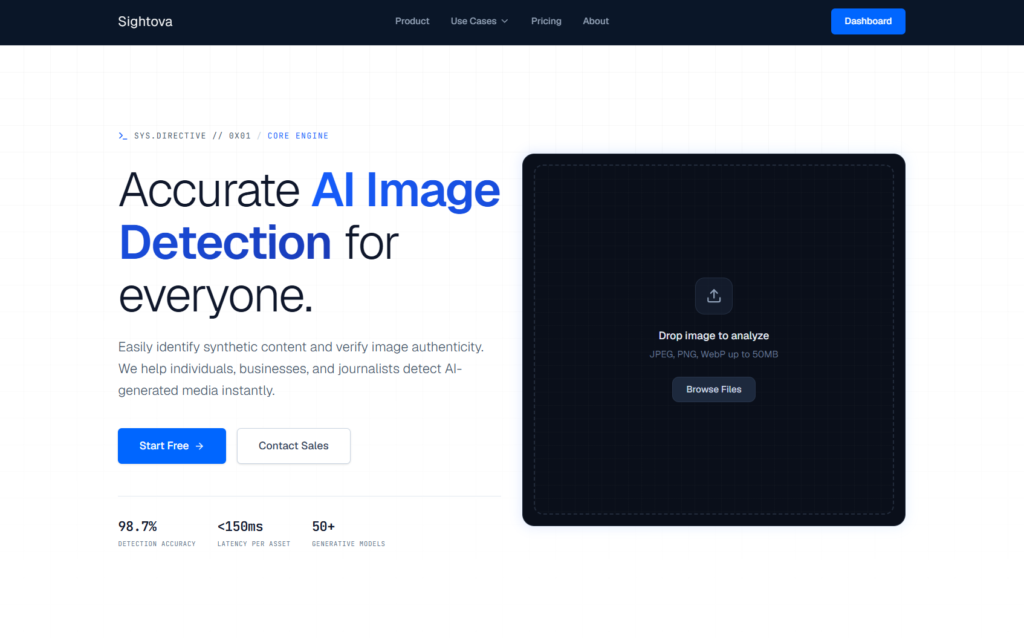
sightova.com flags AI-generated, tampered, NSFW, and violent imagery in milliseconds
A practical approach:
- Decide what must be verified. Thumbnails, “screenshots,” and anything presented as real should be top priority.
- Keep original exports. Compression and re-uploads can muddy signals.
- Label AI when appropriate. Not as an apology, as a norm.
- Avoid “news-like” framing unless you’re prepared to meet news-like standards.
The craft: pacing, framing, and readability
A fake chat can be perfectly designed and still fail on camera. Most problems come down to presentation.
Use camera moves like punctuation
- Zoom for the reveal. Zoom in on the single message that changes the meaning.
- Pan for context. A small scroll can show that there’s history without forcing viewers to read it all.
- Hold longer than you think. If it takes you two seconds to read, it takes some viewers four.
Respect the “tiny screen” rule
If your audience is watching on a phone, your chat text must be readable on a phone. Test by exporting a draft and watching it on your own device, not your editing monitor.
Don’t stack too much text
If the chat needs ten messages to make sense, you may be asking it to do narration’s job. Consider splitting into two scenes: the setup in chat, the consequence in real-time dialogue.
Ethics that keep your channel (and conscience) intact
The line is simple: do not make content that reasonably convinces people a real person said or did something they didn’t.
That includes:
- Fabricating DMs “from” a real creator to start drama.
- Mocking up “proof” of cheating, abuse, or crimes as entertainment.
- Using realistic fakes to impersonate customer support, financial institutions, or verification notices.
If your story needs a villain, invent one. Fiction has been doing that successfully for a few thousand years.
A quick checklist before you post
- Does the fake element serve a clear story beat?
- Is the platform UI consistent and readable?
- Are names, photos, handles, and numbers fictional?
- Could a single frame be misused as “proof”?
- Is there a disclosure somewhere appropriate to the risk?
- If AI imagery is involved, did you run your verification step?
- Would you still be comfortable if a stranger reposted it without context?
Realistic fakes are a tool. In the hands of a thoughtful creator, they’re a shortcut to clarity and comedy, not a shortcut to chaos. Treat them like props on a set: convincing enough to sell the scene, controlled enough to keep everyone safe, and always in service of the story you’re trying to tell.